


How to enable MFA for your GoDaddy account
What this guide will do
This guide will show you how to setup multi-factor authentication (MFA / 2FA) for your GoDaddy account. You can see our other guides for other websites.
Steps
1. Log into GoDaddy
2. Click on Account Settings and then Login and Pin
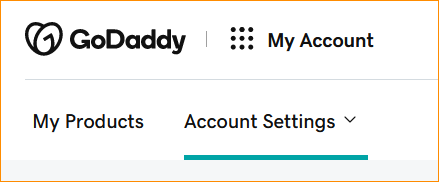
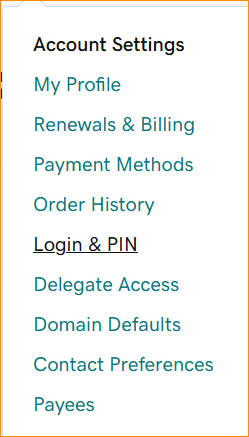
3. Scroll down to “2-Step verification” and then Add Verification

4. Select the Authenticator App
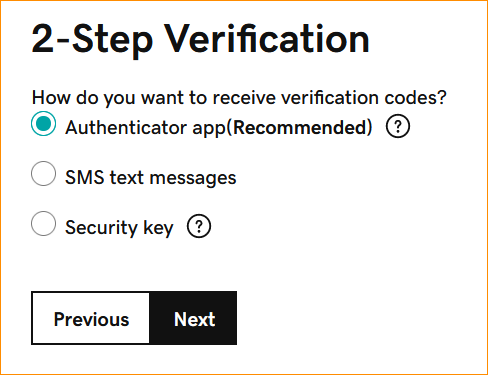
5. Add it to your Authenticator and put the new key into your GoDaddy account. It may ask you what app in Authy – just type in GoDaddy and it should find it
6. Give it a name and save it


